

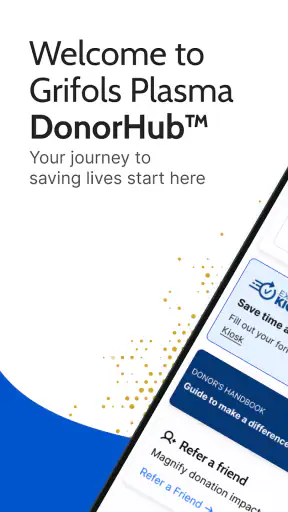
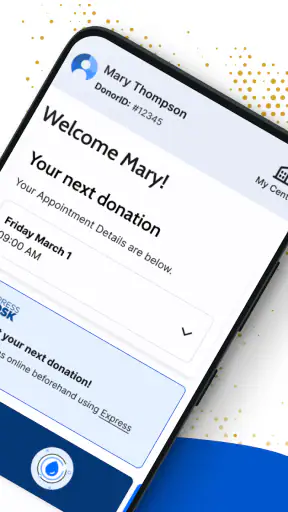
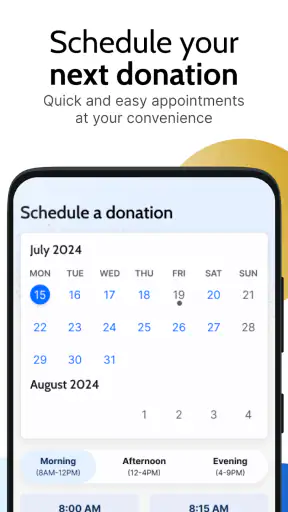
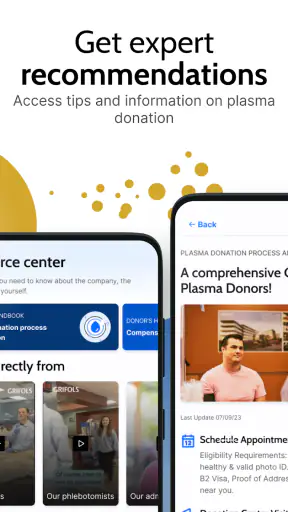
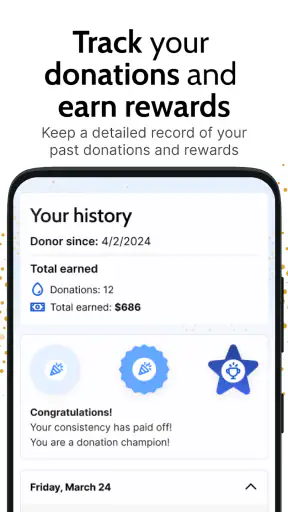
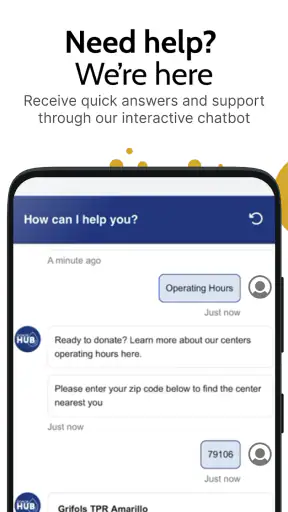
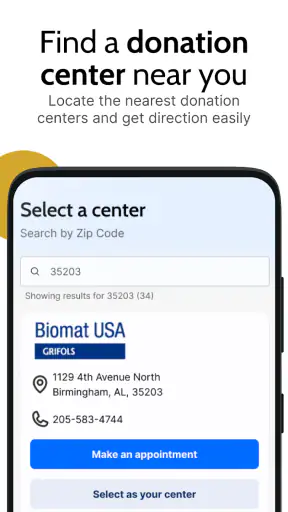
Donating plasma is usually a practical task rather than something I want to turn into a complicated digital project. I need clear information, a quick way to manage the visit, and a reliable place to check what is happening next. Grifols Plasma Donor Hub is built around that specific routine. It is a free medical app from GRIFOLS SA, aimed at people who donate plasma through Grifols centers, and its main value is bringing donor-related tasks into one mobile experience.
After using it, my impression is that the app works best as a companion to an existing donation relationship, not as a general health tracker or an all-purpose medical service. Its usefulness depends heavily on being connected at the right moments, because the information a donor wants is tied to an account, a center, and current visit-related details. That makes the quality of the connection part of the experience. When everything loads normally, the app can make a routine visit feel more organized. When the network is slow or unavailable, its convenience becomes much less certain.
The app has reached more than a million installs and holds a 4.7 average from roughly 43 thousand ratings, with about 4.5 thousand written reviews. Those figures suggest that many donors find the basic workflow worthwhile. It is rated for Everyone, costs nothing to download, and runs on Android 7.0 or later. The current version is 13.6.5, while the app was released on November 9, 2021. I would still treat those numbers as background context rather than a guarantee that every screen will suit every donor, since the practical experience can depend on the center and the phone connection.
How connectivity shapes the donor experience
The moments when a connection matters most
The first important point is that this is not an app I would open simply to browse. I would use it when I need to check something connected with donating plasma: preparing for a visit, reviewing available information, or keeping track of the next step after an appointment. That makes network access especially important. If the app needs to retrieve current account or center information, a weak signal can turn a quick check into a waiting exercise.
In a normal situation, I would open the app before leaving home, while I still have a dependable Wi-Fi or mobile connection. That small habit is more useful than waiting until I am standing outside a center or moving through a building where reception may be inconsistent. I would also avoid assuming that a screen I viewed earlier will automatically remain current. Donation-related details can be time-sensitive, so I would refresh them when I have a stable connection rather than relying on an old glance.
This is where the app feels different from a paper reminder or a simple calendar entry. A calendar can tell me that I intended to donate, but it cannot replace a donor-focused account experience. On the other hand, a calendar is dependable without data service once the appointment is saved. I see the Plasma Donor Hub as stronger for current donor information and weaker as a standalone offline record.
A realistic example is a donor who finishes work, checks the app on a train, and wants to confirm what to do before traveling to a center. With a strong mobile signal, that is a sensible use. With an unstable connection, repeatedly tapping the same area is unlikely to help. I would wait until the train reaches a reliable signal, or check before leaving work. The lesson is simple: use the app proactively, not at the last possible minute.
Using it in real mobile contexts
The mobile format makes sense because plasma donation is usually organized around movement: leaving home, traveling to a center, waiting, and returning afterward. I like having donor-related information available on the same device I carry during those transitions. There is no need to search through old messages or remember which page contained a particular detail.
Still, a phone screen is not always the ideal place for careful reading. If I am walking, rushing, or already inside a busy reception area, I would rather have checked the important information beforehand. The app is convenient for short, focused interactions, but I would not treat it as something to explore while distracted. A few minutes at home can prevent unnecessary fumbling later.
Connectivity also changes how I would use it inside a center. A building can have uneven reception, and public Wi-Fi may require an extra sign-in step. I would not depend on opening the app for the first time at the front desk. Instead, I would sign in and review the relevant screens before arriving. If I needed to show or confirm something, I would keep the phone charged and avoid closing the app immediately after loading the information.
That advice is not a claim that every part of the experience requires a constant connection. It is a practical way to handle an app whose purpose is tied to current account and donation information. The safest assumption is that live content may need access to the internet, while basic phone functions such as screenshots, notes, and calendar reminders can serve as supporting tools. I would use those tools only as personal references, not as replacements for current information in the app.
Where it fits beside the usual alternatives
The usual alternatives are a center’s direct communication, a browser session, a phone call, or personal reminders. Each has a place. Calling is useful when the question is unusual or urgent, especially if the answer depends on a specific center or personal situation. A browser can be better on a larger screen when I need to read carefully. A calendar is better for remembering a planned visit without needing to open a donor service.
The advantage of this app is concentration. Instead of combining a calendar, email search, and a browser, I can start with one donor-focused service. That reduces the mental effort of remembering where information lives. I also find the dedicated format more natural for repeated donors than a one-time web visit.
The trade-off is that the app does not eliminate the need for human help. If something looks unclear, the connection fails, or a situation falls outside the normal workflow, a center representative remains the better source. I would not use a mobile screen to interpret a medical issue or make a decision that should be handled by qualified staff. This is a coordination tool within a medical setting, not a substitute for professional advice.
What happens when the network fails
Connectivity problems are the main weakness I would plan around. A stalled loading screen or an unsuccessful sign-in can be especially frustrating when I am already traveling. The problem is not just inconvenience; it can create uncertainty about whether the app failed to update, whether the account action went through, or whether I am looking at an old screen.
My recovery routine would be deliberately simple. First, I would stop pressing the same button repeatedly. Then I would check whether other apps can reach the internet, switch between Wi-Fi and mobile data if both are available, and reopen the app once the connection is stable. If the app still does not respond, I would use the center’s normal contact route rather than guessing.
I would also take care with actions that might submit information. If a screen appears frozen after I tap something important, repeating the action immediately could create confusion if the first attempt actually reached the service. I would look for a changed status, confirmation, or refreshed screen before trying again. This is a small but valuable habit for any account-based mobile service.
Before an important visit, I would check the app earlier in the day and make a private note of the practical details I may need. I do not mean copying sensitive account information into an unsecured note. I mean recording a simple reminder such as the planned time or the fact that I completed a check. That gives me a fallback for memory without pretending that a note is an official update.
There is also a device-side recovery step worth mentioning. If the app behaves differently after an update or on an older phone, I would first confirm that the device meets the minimum operating-system requirement and that the app is current. The stated minimum is Android 7.0, so people using older hardware should check compatibility before planning around it. A technically supported phone can still feel slow, but an unsupported system creates a different kind of risk.
Using the app without wasting mobile data
For most donors, the app is unlikely to be a major data burden during occasional checks, but I would still use it thoughtfully. I would open it on Wi-Fi when convenient, especially before a scheduled visit, and avoid repeatedly refreshing while traveling through a weak signal. Repeated failed requests can waste time and may consume data without giving me a useful result.
I would also keep background behavior in mind. If I am trying to conserve battery or mobile data, I would avoid leaving the app open unnecessarily and would close other demanding apps before an appointment if my phone is already struggling. The goal is not to micromanage every megabyte; it is to make sure the phone remains dependable when I need the donor service.
Privacy deserves a practical approach too. Because this is a medical-category app connected with plasma donation, I would use a screen lock, avoid signing in on a borrowed phone, and be careful when viewing personal information in public. On shared devices, I would sign out when appropriate and avoid saving credentials where another person could access them. These are sensible habits even when the app itself is working properly.
I would not install it solely because the rating is high or because it is free. I would install it if I donate through the relevant Grifols service and want a central mobile point for that routine. The price removes one barrier, but it does not make the app useful to someone who never uses Grifols plasma centers. For that person, a general calendar or their existing healthcare service may be more practical.
Who will benefit most from it
The strongest fit is a repeat donor who wants fewer scattered steps. If I regularly need to organize donation visits, I would appreciate having a specialized app rather than relying entirely on memory, messages, and browser bookmarks. It is also a good match for people who are comfortable checking information on a phone and who usually have reliable mobile data or Wi-Fi.
It can be helpful for someone building a consistent donation routine. Checking the app before leaving, reviewing what is relevant for the visit, and confirming the next action afterward creates a repeatable process. That is more valuable than any single screen because it reduces last-minute uncertainty. The app becomes a small piece of personal organization around a recurring medical appointment.
I would be more cautious recommending it to someone who rarely uses smartphones, has unreliable internet access, or prefers speaking with staff for every question. The app may still be available, but the learning and connectivity overhead could outweigh its convenience. Likewise, someone looking for symptom tracking, medication management, or broad health records should choose a service designed for those purposes instead.
My final connectivity verdict
My overall view is positive, with one clear condition: I would treat Grifols Plasma Donor Hub as a connected donor companion, not an offline safety net. Its best quality is focus. It gives Grifols plasma donors a dedicated place to handle the digital side of a recurring process, and its free availability makes trying it straightforward.
The app is most effective when I prepare before traveling, use a stable connection, protect my account on a shared or public device, and keep a sensible backup plan for network problems. Those habits turn connectivity from a source of stress into a manageable part of the workflow. They also prevent me from expecting the app to answer questions that belong with center staff.
With its 4.7 average, broad install base, Everyone rating, and support for Android 7.0 and later, it is an easy recommendation for an eligible Grifols donor who wants a more organized mobile routine. I would skip it if I do not donate through Grifols or if I need a full-featured health-management app. For the right user, though, Grifols Plasma Donor Hub is a practical way to keep donation tasks closer at hand, provided I remember that the phone and the network are part of the experience.
In short, Grifols Plasma Donor Hub does not need to replace phone calls, center staff, calendars, or personal judgment. It works best alongside them. I would check it early, avoid depending on it in a dead zone, and use it for the donor-specific organization it was made to provide. That balance makes the app useful without asking it to be more than it is.


